Webhook Logs
The Webhooks tab in Logs lists your webhook subscriptions and lets you review every notification sent to your systems. A webhook is a way for ScaleAI to notify your own systems when something happens. This tab is visible to workspace owners only. Other members see just the Call and Function tabs.
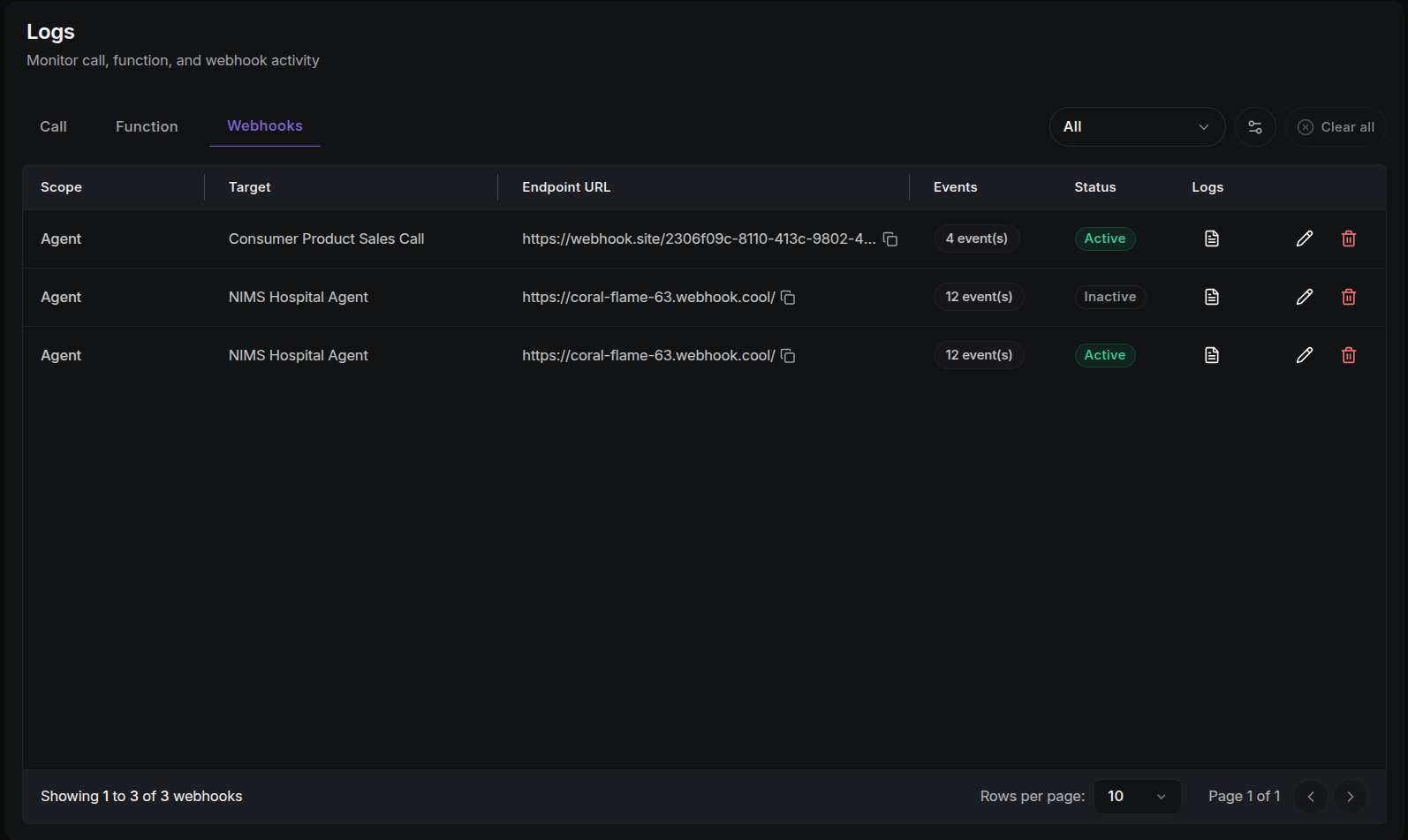
Subscriptions Table
Each row is one webhook subscription:
| Column | Description |
|---|---|
| Scope | Agent or Phone Number: what the subscription is attached to. |
| Target | The specific agent name or phone number. |
| Endpoint URL | The web address (URL) where events are sent, with a copy button. |
| Events | How many event types this subscription listens for. |
| Status | Active or Inactive. |
| Logs | Opens the delivery logs drawer for this webhook. |
| Actions | Edit and Delete (delete asks for confirmation). |
Filter the list by Scope: All, Agent, or Phone Number.
Use Edit to change the endpoint URL, subscribed events, or active state. To create new webhooks, see Integrations.
Delivery Logs Drawer
Click the logs icon on any subscription to open its delivery history. Each delivery entry shows:
- Status:
SuccessorFailedbadge. - Event: the event name that triggered the delivery.
- Timestamp: when the delivery attempt occurred.
- Attempt: the retry attempt number.
- HTTP status: the response code your endpoint returned (e.g.
200means it worked,500means an error). - URL: the web address that was called.
- Response detail: the response body, or the error message on failure, with a copy button.
- Payload: the data that was sent with the delivery.
Navigate deliveries with the pagination controls (splitting results into pages) and choose 10, 25, 50, or 100 rows per page.
Troubleshooting Tips
- Repeated error codes (4xx/5xx): your endpoint is rejecting deliveries. Check the authentication and response codes on the system that receives the webhook.
- Rising attempt numbers: ScaleAI retries failed deliveries. A high attempt count means the endpoint keeps failing.
- No delivery logs: the subscription hasn't triggered yet. Confirm its status is Active and the events you expect are subscribed.
Next Steps
- Call Logs: the Webhooks tab inside a call shows deliveries scoped to that call.
- Integrations: configure webhook subscriptions and providers.