Call History
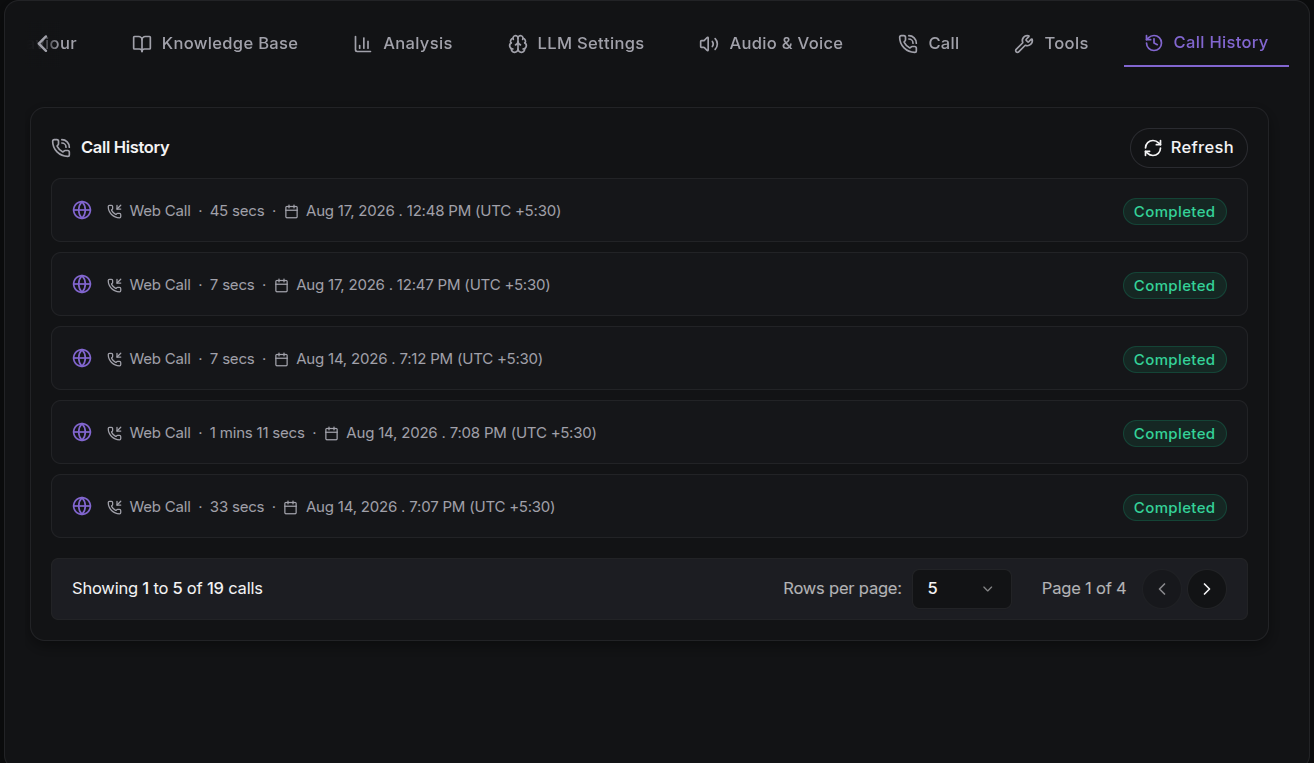
The Call History tab shows a log of completed and attempted calls for the agent, without leaving the agent configuration page.
This tab is disabled until you write an Agent Prompt in the Agent Behaviour tab.
This tab is a quick view for one agent. For the full call log with filters, CSV export, and every call across all agents, see Call Logs.
What You See
Each row shows:
- Direction: inbound or outbound, with direction icons. Web Calls (from the browser-based tester) are shown with a globe icon.
- From / To: the caller and destination numbers. Web calls have no phone numbers shown.
- Duration: how long the call lasted.
- Connected At: the date and time the call connected, with the UTC offset.
- Status: a colour-coded status badge.
Call Statuses
| Status | Meaning |
|---|---|
| Initiated | The call was queued to start. |
| Ringing | The call is connecting to the recipient. |
| In Progress | The agent and the caller are talking. |
| Completed | The call ended normally. |
| Failed | The call could not be placed. |
| Missed | The recipient did not answer. |
Pagination & Filtering
- Choose rows per page:
5,10,25,50, or100. - Use the page controls at the bottom to move between pages.
- Sorting is newest-first (by creation time).
- Use the Refresh button to pull in the latest calls.
Call Details
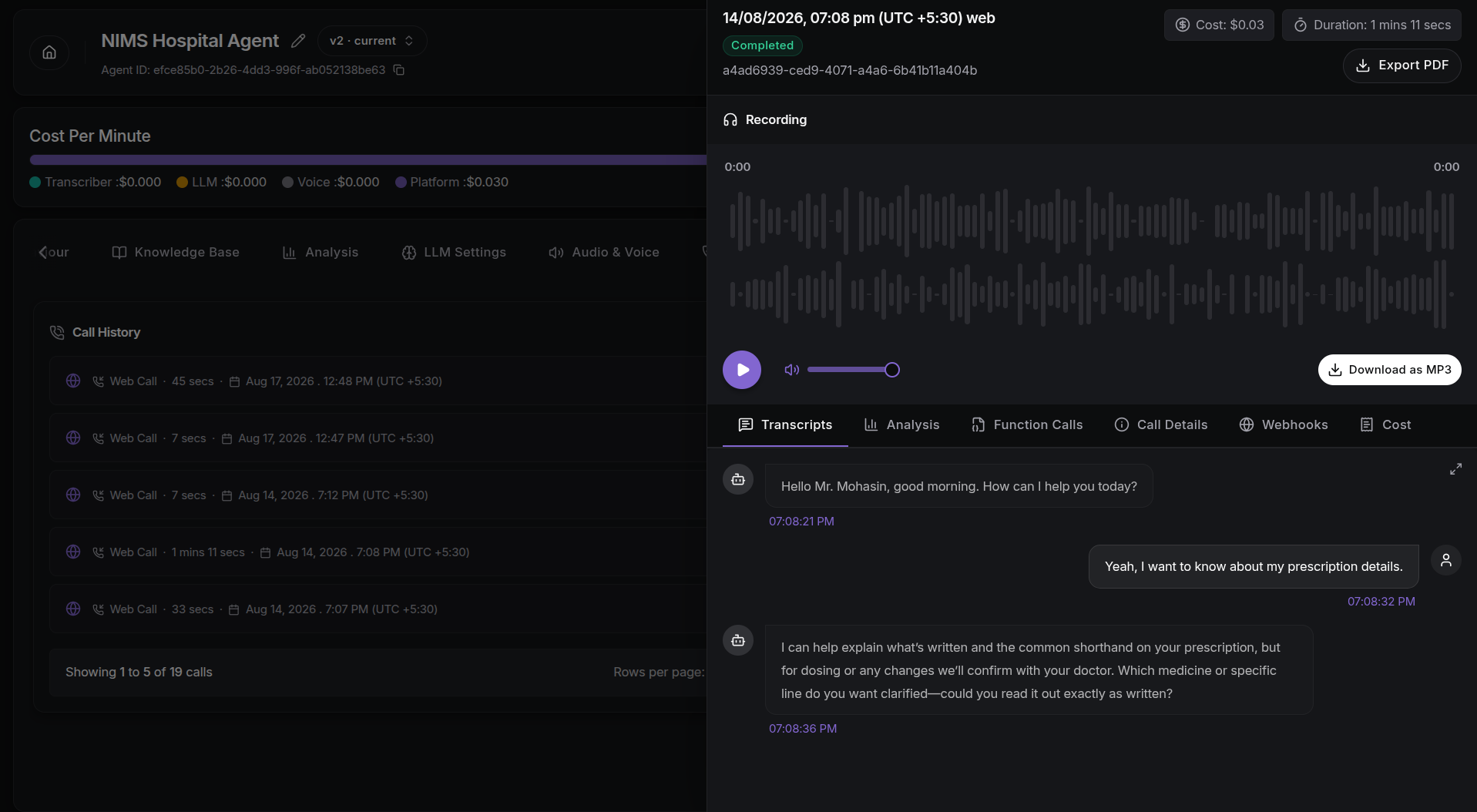
Click any call row to open the Call Details drawer, which shows the full session record. It includes:
- Recording: listen to or download the call audio, if a recording is available.
- Transcripts: the written conversation, shown live while the call is active.
- Analysis: the call summary and sentiment, plus any structured output.
- Function Calls: the actions the agent took during the call.
- Call Details: metrics such as direction, termination reason, and voicemail detection.
- Webhooks: which webhooks fired for the call and whether they delivered.
- Cost: the final charge, broken down by platform fee, usage, and provider charge.
See Call Logs for the full observability story.
Next Steps
- Call Logs & Transcripts: inspect every call across agents.
- Outbound Calls: start placing calls so history populates.
- Batch Call: run automated outbound campaigns at scale.
- Test the Agent: make your first call from the browser.