Analysis & Structured Outputs
The Analysis tab lets you define structured data fields that the agent pulls out of call transcriptions. A transcription is the written record of what was said on the call. The LLM (the AI brain that decides what to say) reads the transcription and fills in these fields automatically, during or after each call.
Think of it as a smart summary that always follows the same format. Every call produces output in the same predictable shape, so your other systems can read it easily. This makes the data useful for analytics, CRM updates, and reporting.
This tab is disabled until you write an Agent Prompt in the Agent Behaviour tab.
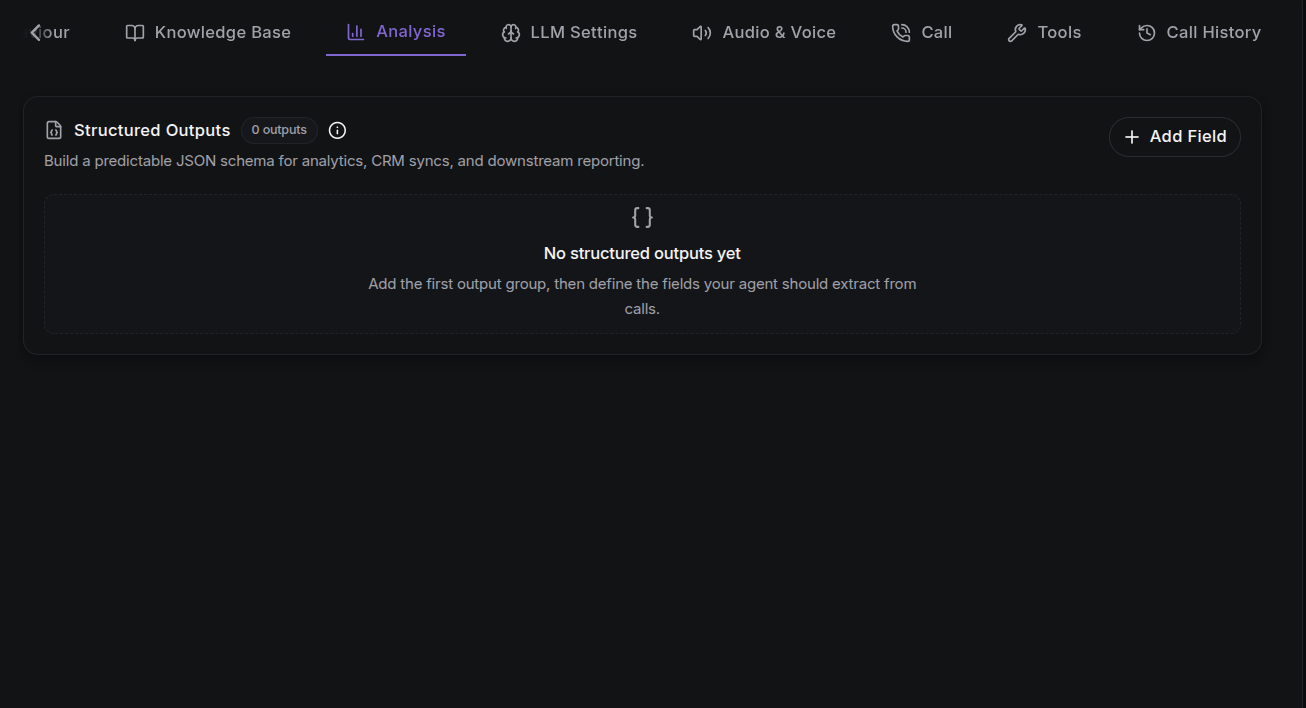
Adding a Structured Output
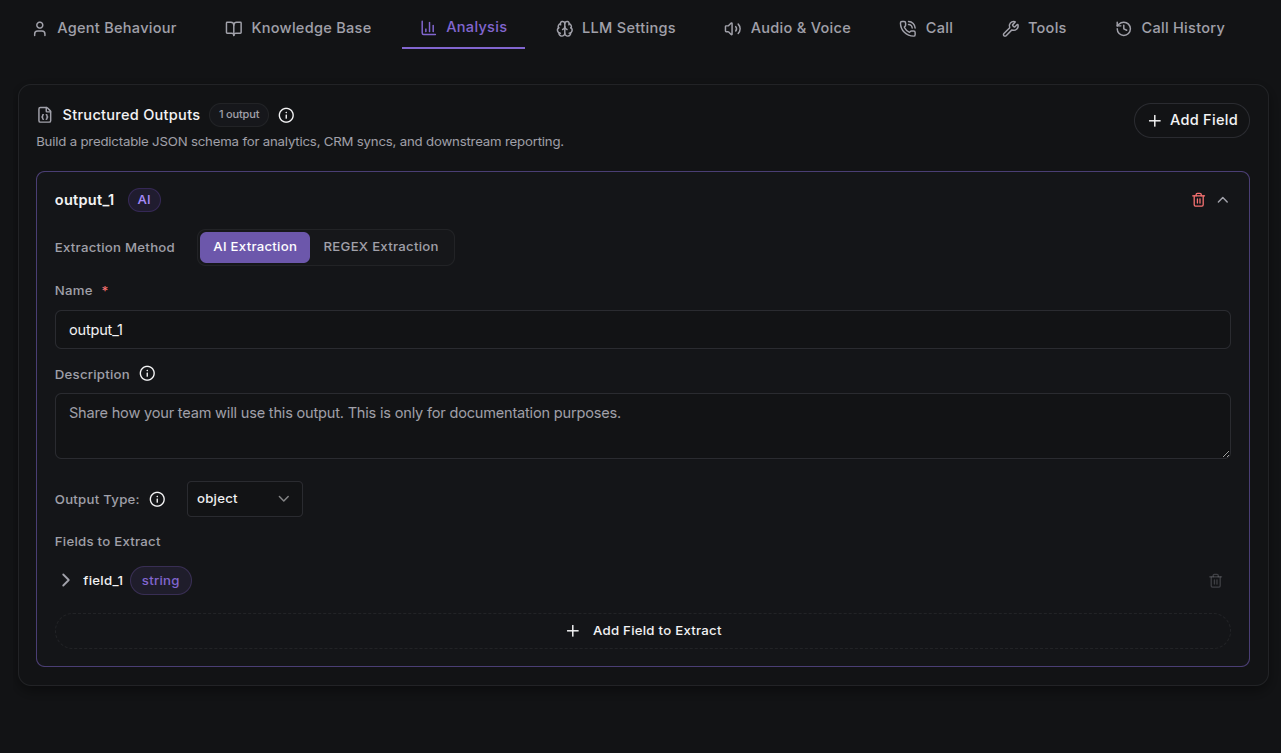
Click Add Field to create a new output. Each output contains:
| Field | Required | Description |
|---|---|---|
| Extraction Method | Yes | How the data is pulled out: AI Extraction (currently available) or REGEX Extraction (coming soon). |
| Name | Yes | The output's identifier, e.g. booking_made, customer_info. Must be snake_case: hyphens are not allowed. |
| Description | No | Documentation of the output's purpose and how it will be used. |
| Schema Fields | Yes | The structure of the extracted data (see below). |
Schema Fields
Each output defines a schema, which describes the shape of the extracted data. You build it as a nested tree:
- Field type:
string,number,boolean,object, orarray. objectfields can have nested child properties.arrayfields declare an items type;array<object>supports nested children.- Field names follow snake_case (lowercase words joined by underscores), matching the keys in the final output.
Number Ranges
For number and array<number> fields, you can optionally set minimum and maximum bounds that limit the extracted value.
How Extraction Works
The LLM reads the entire call transcription and fills in each field in the schema:
- Fields marked required must always be extracted.
- The result is a structured JSON object that follows the shapes you defined. JSON is a simple text format that other systems can read and process.
- This output is useful for webhooks (a way for the platform to notify your own systems when something happens), CRM leads, analytics pipelines, and post-call automation.
Next Steps
- Agent Configuration: the full configuration matrix.
- Webhooks: receive call lifecycle events, including structured output.
- Call Logs & Transcripts: review what the agent extracted from real calls.
- Test the Agent: verify extraction on a live test call.