Function Logs
The Function tab in Logs records every action your agents take during calls, such as calling your custom API, transferring a caller, or booking a calendar appointment. Use it to check your integrations, see how long each action takes, and review what your agents did.
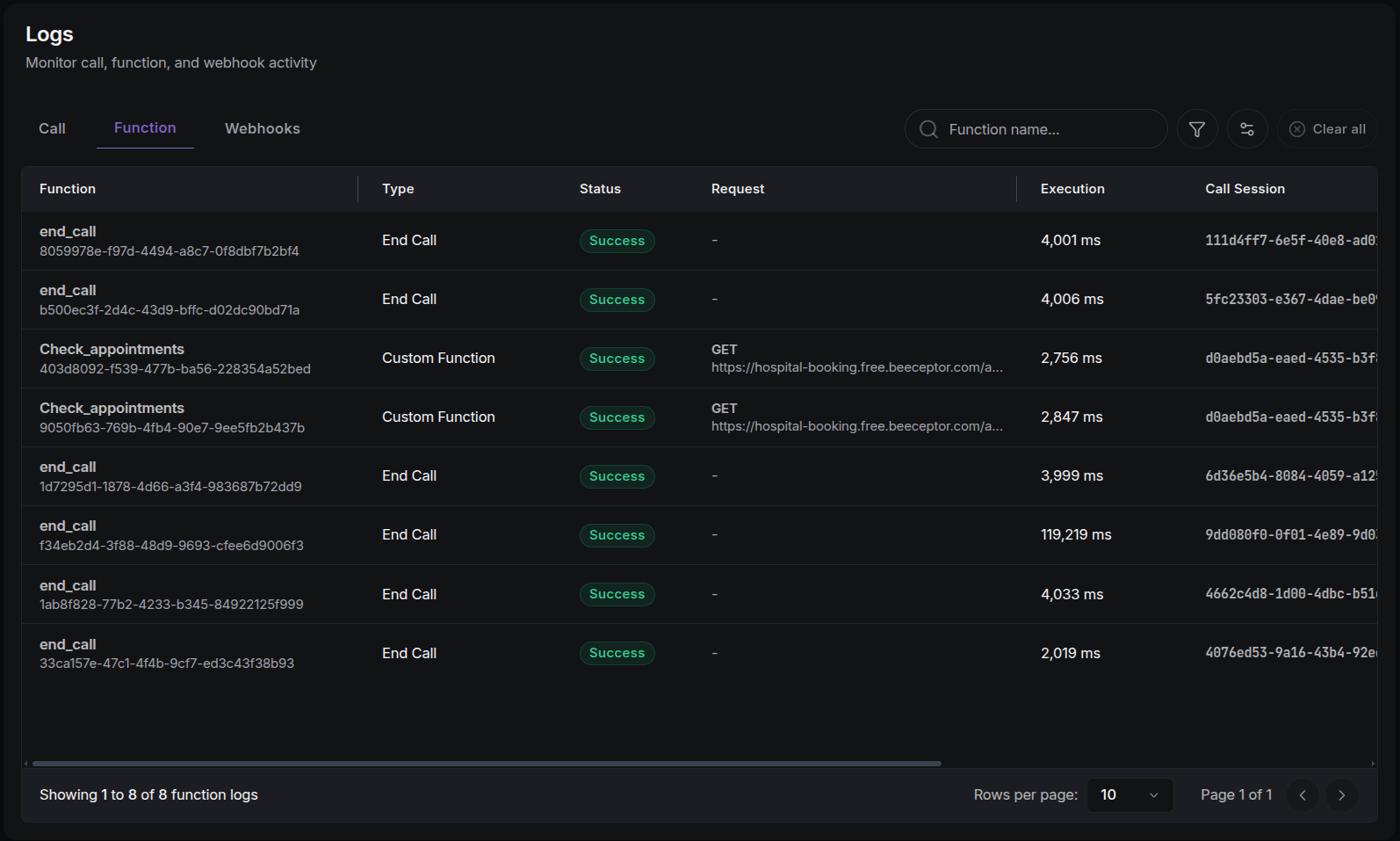
Function Log Table
Each row represents one action the agent took:
| Column | Description |
|---|---|
| Function | The action name, with the log ID underneath. |
| Type | The type of action (see below). |
| Status | Success or Error badge. |
| Request | The method and web address (endpoint) the action called, for API actions. |
| Execution | How long the action took, in milliseconds. |
| Call Session | The ID of the call that triggered the action. Click to copy. |
| Agent | The ID of the agent that performed the action. Click to copy. |
| Created At | When the action happened (sortable). |
Function Types
- Transfer Call: hands the call off to a human agent.
- Custom Function: calls your own API (a web address you control).
- End Call: ends the call with a message.
- Check Slot Availability: fetches open meeting slots before booking.
- Book Appointment: creates a calendar booking.
See Tools Config for how to configure these on an agent.
Filtering
Refine the table with these filters:
- Function Name: free-text search.
- Status:
SuccessorError. - Function Type: searchable dropdown of all function types.
- Agent: searchable agent list (results split into pages).
- Date Range: from/to date picker.
Function Log Details Drawer
Click any row to inspect the full record for that action:
- Call Session: the ID of the call that triggered the action.
- Timing: when the action ran and how long it took.
- Status & Type badges: plus a highlighted Error block with a copy button when the action failed.
- JSON blocks: the Request and Response data (the payloads sent and received), the Input Params passed by the AI, the raw Output Result, and full Execution Details. Every block can be copied, which makes reporting bugs easy.
Next Steps
- Call Logs: the Function Calls tab inside a call shows the same actions scoped to that call.
- Tools Config: configure the functions your agents can call.